Small businesses often outgrow the tools that helped them get started. A spreadsheet becomes difficult to manage, an internal database depends on an aging computer, or a useful custom application becomes harder to maintain. The obvious answer may seem to be another monthly subscription—but replacement is not always the best fit.
Sometimes the smarter investment is to preserve what already works, improve what does not, and modernize the system around the way the business actually operates. Redbeard Solutions recently completed that process for our own internal time-tracking application.
Starting With a Useful Internal Tool
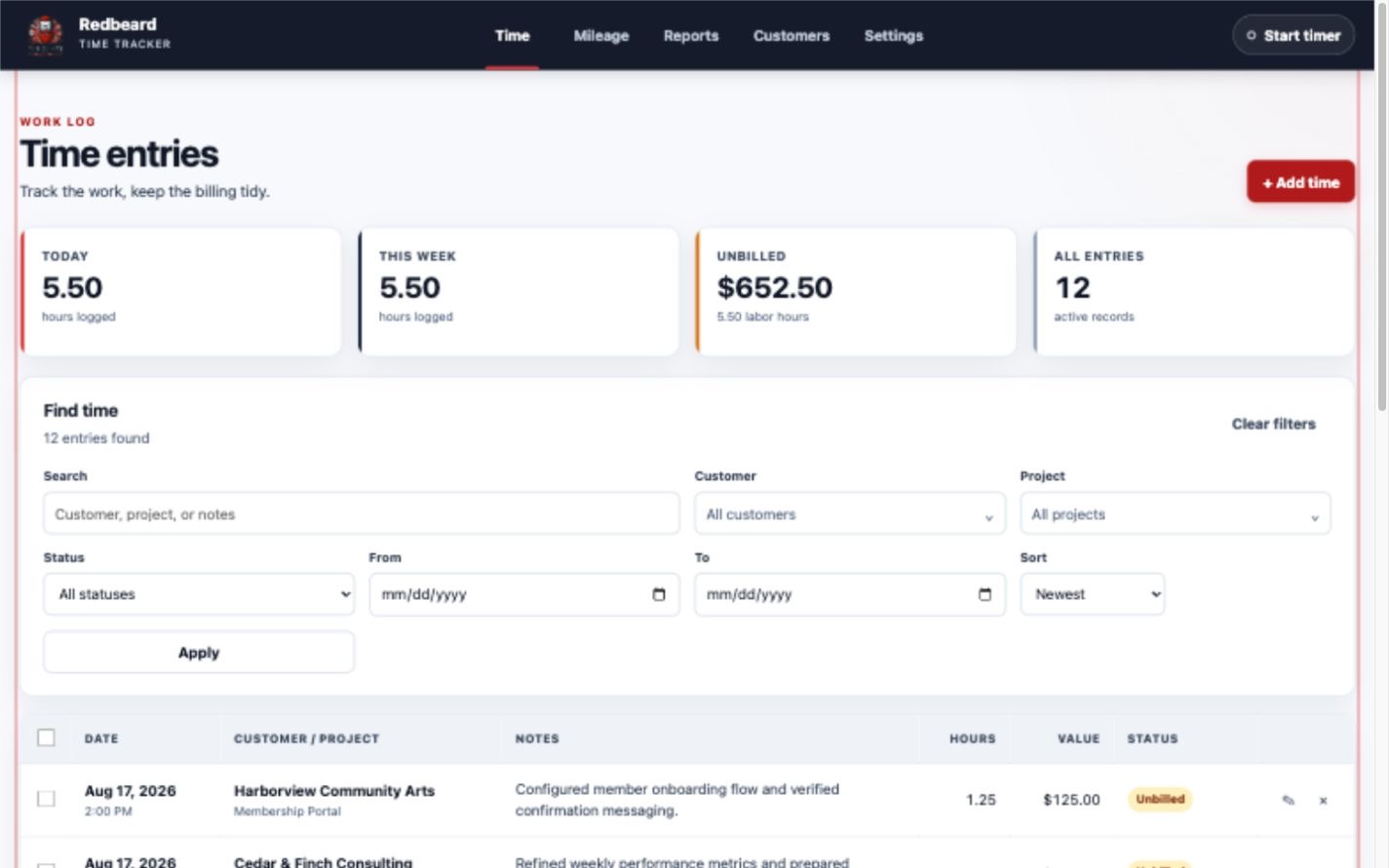
The original application ran on a Linux virtual machine and already handled a real business need. It tracked customers, projects, work hours, billing status, mileage, and related charges. That made it valuable—but its age and deployment model made future maintenance more difficult than it needed to be.
Rather than force the business into a generic product, we treated the project as a modernization case study: understand the proven workflow, retain the useful parts, and rebuild the surrounding experience with a simpler, maintainable foundation.
The completed application uses Node.js and Express to run the service, with SQLite providing a compact, dependable database. In plain language, that means the application has a widely supported foundation without requiring a complicated database server or a new cloud subscription.
Making Daily Time and Mileage Work Easier
Time entry is now structured around how work is actually recorded. A user can select a customer and project, enter hours or use quick-time choices, record notes, apply a billing rate, and set the billing status. Search and filters make it easier to find entries by customer, project, date, or status.
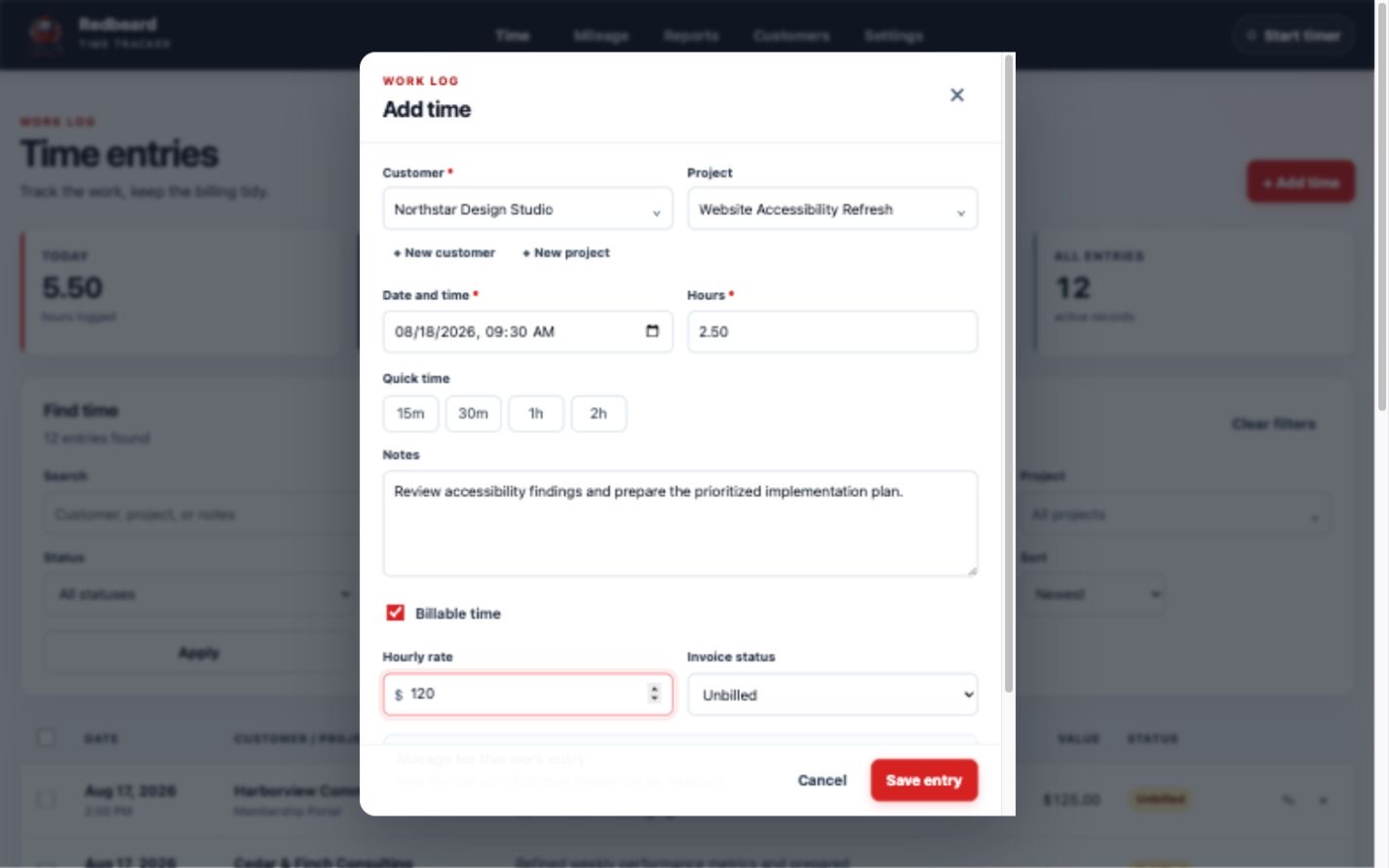
Mileage and related charges are part of the same operating picture, so travel connected to customer work does not have to live in a separate spreadsheet or handwritten note. The result is less re-entry, fewer missing details, and a cleaner path from completed work to accurate billing.
Organizing Customers and Projects
Customer and project management is now a structured part of the application. Names stay consistent, projects remain connected to the correct customer, and default billing rates can reduce repetitive entry. Records can also be archived without erasing useful history.
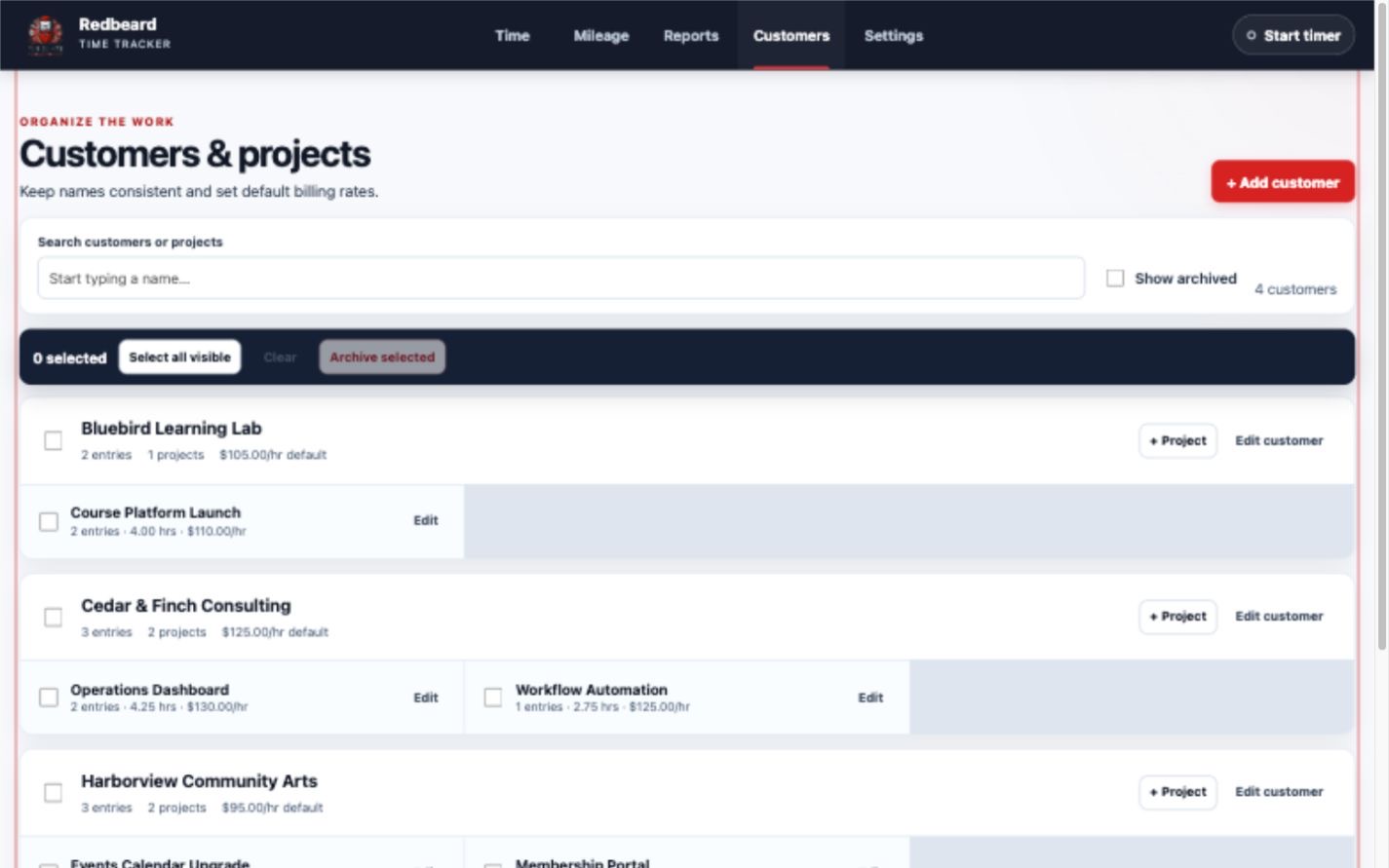
These improvements may sound simple, but they address a common small-business problem: inconsistent information quietly creates extra work. A focused internal system can remove that friction without asking employees to adapt to features they do not need.
From Work Records to Billing
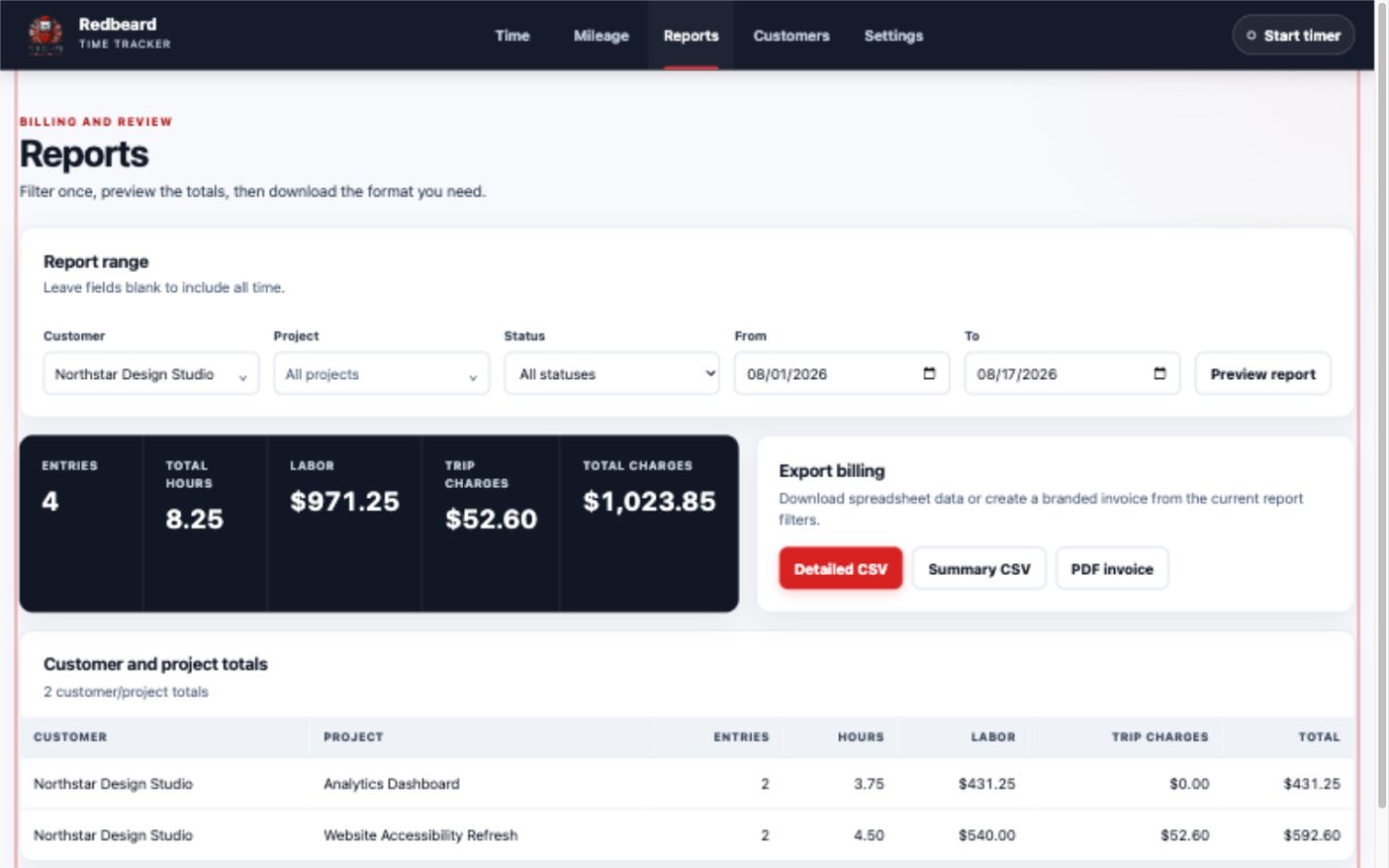
The reporting workflow brings time, mileage, labor value, and related charges together. Reports can be filtered before export, with totals available by customer and project. Detailed CSV exports support line-by-line review, while summary CSV exports provide a cleaner rollup for accounting or analysis.
The application can also generate PDF invoices directly from the selected report. That shortens the path between reviewing work and preparing a customer-ready document, while keeping the source records available for verification.
Containerized for Portability
We packaged the application in a container—a self-contained way to bundle the software and the environment it needs to run. This makes deployment more consistent, simplifies maintenance, and reduces dependence on the setup of one particular computer or virtual machine.
Containerization also keeps future options open. This deployment uses Home Assistant because it fits our internal environment, but Home Assistant is not a requirement for customer modernization projects. The right destination could be an existing server, a small office appliance, a private cloud environment, or another platform suited to the business.
A Completed, Secure Deployment
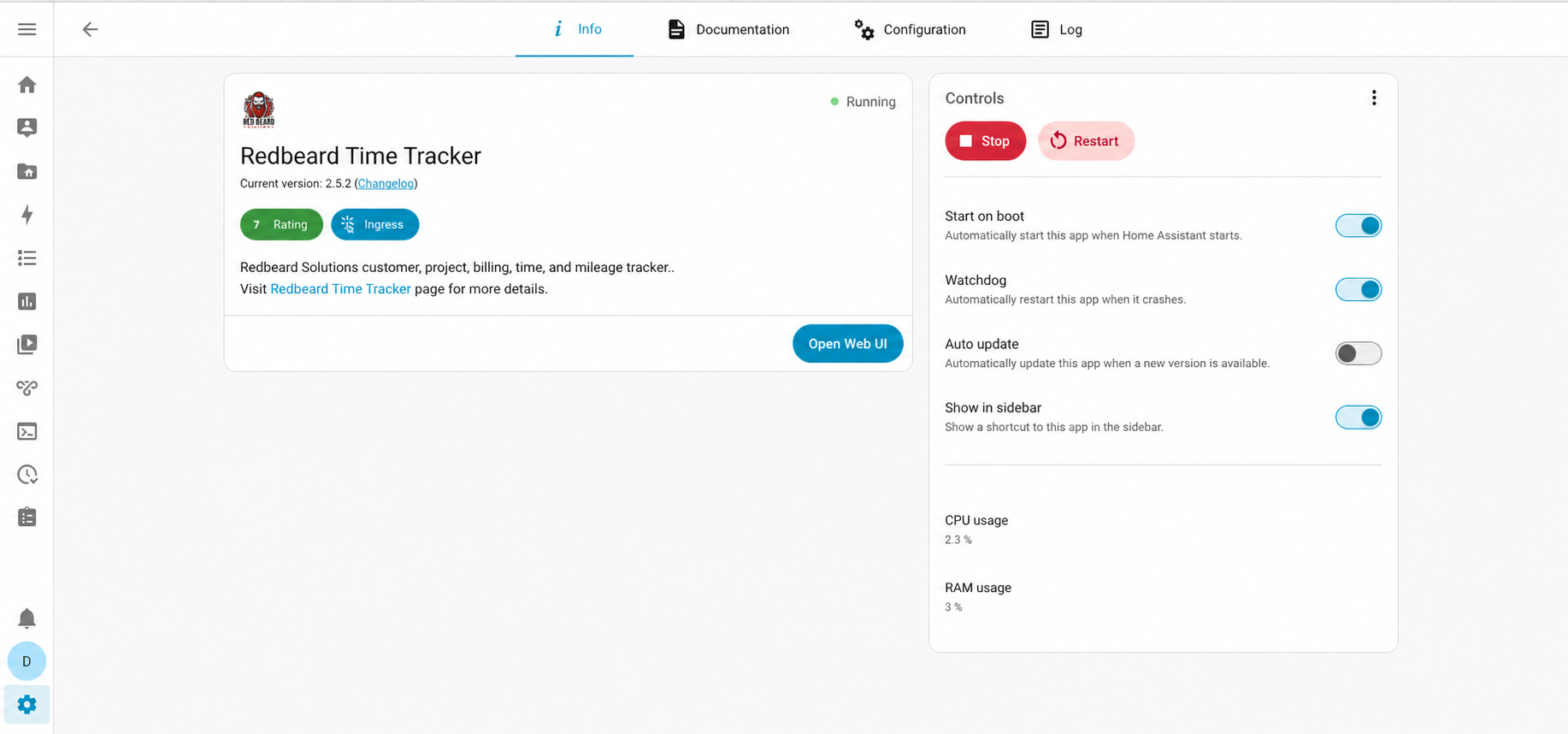
The modernized time tracker is now running as a Home Assistant app. Home Assistant Ingress protects access by placing the application behind Home Assistant's authenticated interface instead of exposing it directly. The app starts automatically with the host, and watchdog monitoring can restart it if the process stops unexpectedly.
Remote access is restricted through Tailscale, a private encrypted network that connects approved devices. This allows authorized access away from the office without making the application openly reachable from the public internet.
AI Assistance With Human Oversight
AI-assisted development accelerated portions of the work, including drafting, repetitive implementation tasks, and rapid iteration. It did not replace engineering responsibility. Requirements, architecture, testing, security, deployment, and final technical decisions remained under experienced human oversight.
That distinction matters. AI can help a capable team move faster, but useful business software still depends on understanding the workflow, choosing sensible tradeoffs, protecting access, validating the result, and taking responsibility for what reaches production.
Modernization for Small Businesses
This project is not a commercial time-tracking product for sale. It is evidence of what Redbeard Solutions can do when an organization has a useful system that no longer fits its needs. The same approach can apply to aging internal applications, sprawling spreadsheets, small databases, duplicate data entry, and repetitive manual processes.
A modernization project might improve the existing tool, connect systems that do not communicate, automate a repeated task, or replace only the fragile pieces. The goal is not to add technology for its own sake. It is to make the business process more reliable, maintainable, and useful.
Start the Conversation
Does your business rely on an aging internal application, spreadsheet, database, or repetitive manual process? Redbeard Solutions can help you evaluate what should be modernized, automated, or integrated. Contact us to start the conversation.